
Rialto Casino Login
Sign in with your email and password and get back to your games from any browser.
Games at Rialto Casino






Game Library




Getting into your Rialto Casino account only needs your email address and password. Below you get the sign-in steps and the fixes for failed logins, password resets, locked accounts and verification holds. You also get the 24/7 contact lines for UK players.
How to Log In: Step-by-Step
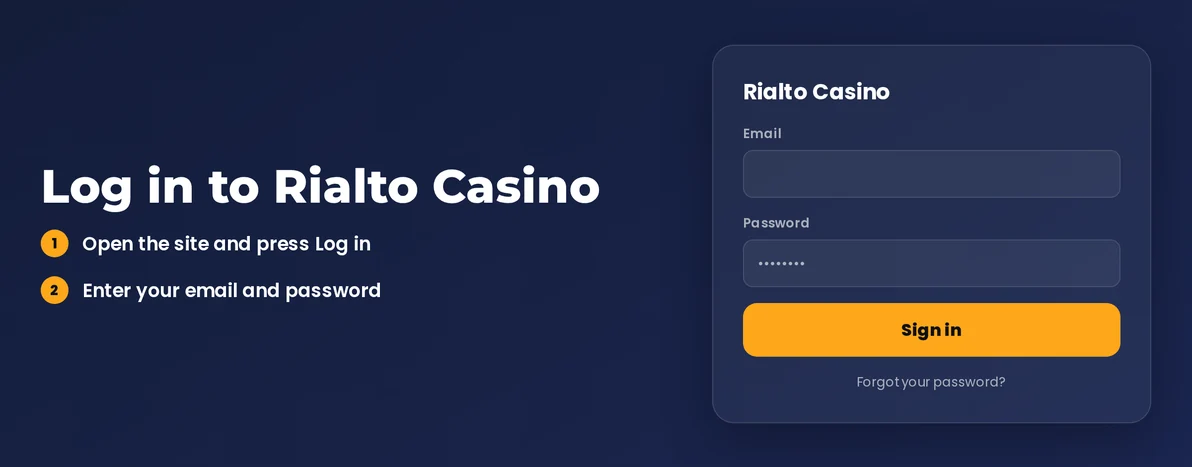
Your account operates in GBP. This is the only currency Rialto Casino uses. To sign in, enter the email address you used for registration.
Start by launching the Rialto Casino website in your browser.
Click the login button. Then type in your registered email address.
Type your password.
Finish email confirmation if Rialto Casino requires this step.
Let the lobby finish loading. Your account is now open.
Two-factor authentication is not a standard feature. Account security relies on your password and email confirmation. You do not need to set up a separate two-step process.
Can't find the confirmation email? Check your spam folder first. Ensure your account email matches the inbox you're checking. For other issues, use the live chat.
Login Problems and Fixes
Login problems often stem from a typing error, an expired browser session or a pending verification. The table links each issue with its likely cause and fastest solution.
| Problem | Likely Cause | Quick Fix |
|---|---|---|
| Password rejected | Typo, caps lock or an outdated saved password | Retype it by hand, then reset the password |
| Login page reloads or freezes | Old cookies or cached files | Clear cookies and cache, then try again |
| Confirmation email missing | Spam filter or wrong address | Check junk mail, then contact live chat |
| Logged out unexpectedly | Session expired | Log in again with your email and password |
| Account locked | Security hold on the account | Call or chat with support, available 24/7 |
| Withdrawal blocked after login | Age, identity or residency checks still open | Complete KYC Verification |
Deleting cookies often fixes common browser errors. You can do this yourself without contacting support.
- Go to your browser's settings. Look for the cookies or site data section.
- Remove cookies and cached files for the Rialto Casino site.
- Close all open browser tabs. Then restart your browser completely.
- Attempt to log in again. If it doesn't work, try a private browsing window or switch to a different browser.
How to Reset Your Password
You can reset your password yourself in a few steps. Only contact support if the reset email fails to arrive.
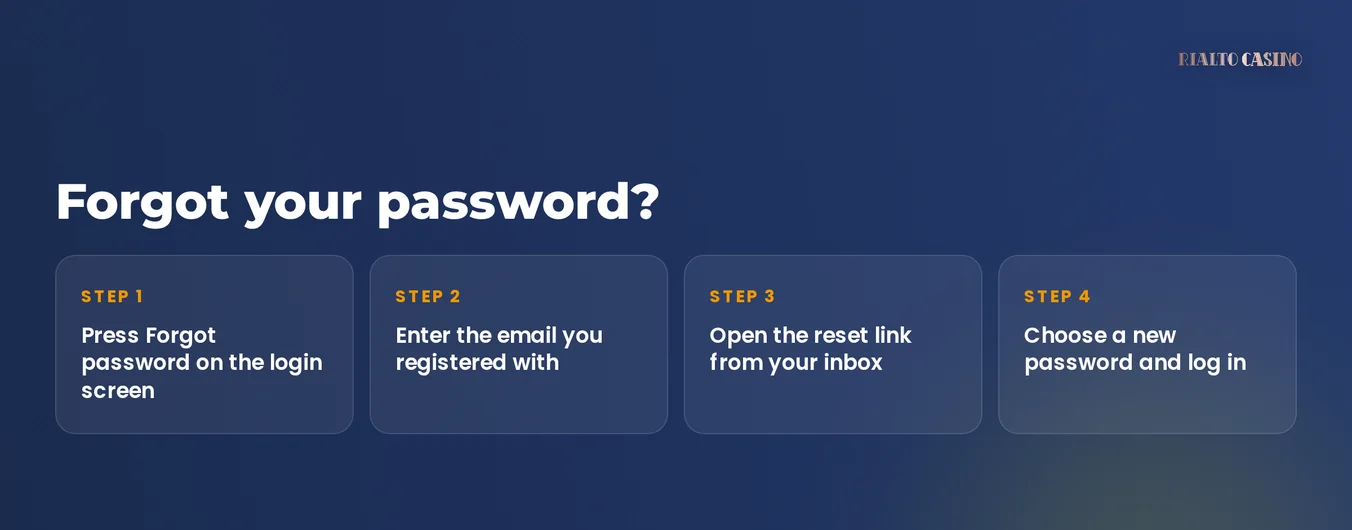
- On the login page, click the 'forgotten password' link.
- Type the email address linked to your Rialto Casino account.
- Find the email from Rialto Casino. Click the reset link inside.
- Create a new password and use it to log in.
- Look in your spam folder if the email does not arrive, then use live chat.
Choose a password unique to this site. Combine letters, numbers and symbols. A browser password manager can save it and prevent typing mistakes later.
Account Locked or Suspended
Only Rialto Casino staff can unlock a locked account. Their support is available 24/7 via live chat, phone and email.
- Get in touch with live chat or call 0800 279 7632 immediately. No other steps are needed first.
- Tell support the email on your account and explain the message you are seeing.
- Support will check your account and tell you why it was locked.
- Finish any open verification if that is the cause. Support will let you back in after their review.
Rialto Casino offers several responsible gambling tools. Self-exclusion, Take A Break and GAMSTOP block access to your account for the period you choose:
- Self-exclusion - this shuts your account for a chosen time
- Take A Break - this pauses your play for a shorter chosen period
- Net/Gross Deposit Limits - these set a cap on how much you pay in
- Reality Check - this shows your session length
- GAMSTOP - multi-operator self-exclusion that also blocks access
| Cause | Who Acts | When |
|---|---|---|
| Security hold | Support | Immediately, via 24/7 channels |
| Self-exclusion or Take A Break running | You, then support | After the period you chose ends |
| Open verification | You, then support | Before your next withdrawal |
Call the National Gambling Helpline at 0808 8020 133 if gambling harms you. More help is at gamcare.org.uk.
KYC Verification
Rialto Casino checks your age, identity and residency before a withdrawal. These checks appear when you try to cash out.
- Age: you must be 18 or older
- Identity: you must be the account holder
- Residency: your address must match your registered details
Finish any pending check, then support will complete their review.
- Contact live chat using your registered email address. The team can then check your verification status.
- Provide any documents the support team asks for.
- Wait for support to let you know their review is finished.
- You can request your withdrawal after all checks are cleared.
Logging In via Mobile Browser
Rialto Casino runs in your web browser. Use the same website on your phone as on your computer, with your usual email and password.
| Feature | Status |
|---|---|
| iOS app | No |
| Android app | No |
| Mobile browser login | Yes |
| Biometric login | No |
| Push notifications | No |
- On your phone, open your browser and visit the Rialto Casino website.
- Choose the login option. Type in your email address and password.
- If prompted, confirm your login via email.
Your mobile browser can store the password for future logins. Should the page act up on your phone, delete the site's browser cookies using the method described earlier.
Contact Support
Rialto Casino support is available 24/7 in English. A UK freephone number is provided. The Support Hub has written answers for common questions.
| Channel | Details | Hours |
|---|---|---|
| Live chat | Fastest route for locked accounts and missing emails | 24/7 |
| Telephone | Freephone 0800 279 7632 | 24/7 |
| Written follow-up on account queries | 24/7 | |
| Support Hub | Self-service help articles | 24/7 |
Rialto Casino operates under UK Gambling Commission licence 057924-R-334666-006. All accounts use GBP.
FAQ
Only players aged 18 or older can play at Rialto Casino. Keep gambling as entertainment by setting affordable deposit limits. Use the Take A Break tool or self-exclusion if you stop enjoying it.